S91 Collect Cards Lucky Draw – Pokémon & ONE PIECE Cards
What Is S91 Collect Cards Lucky Draw?
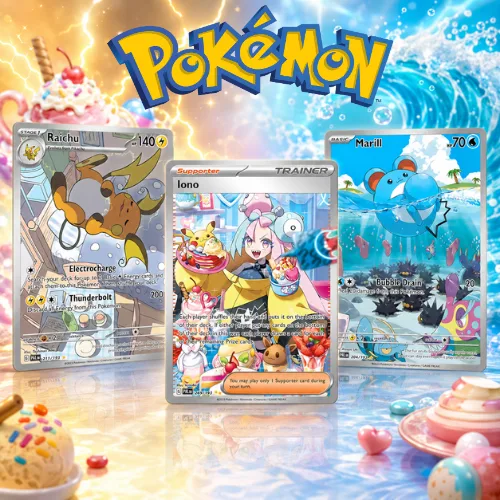
S91 Collect Cards is part of the Lucky Draw selection available on S91BOX. This category focuses on collectible cards and currently includes Pokémon and ONE PIECE themed draws. Each available selection is presented separately so users can review its displayed entry price and choose which draw they want to enter.
Browse Collectible Card Draws
The Collect Cards section brings the available card-themed Lucky Draw options together in one category. Users can browse each displayed selection before choosing “Join Now” to open the corresponding draw.
Pokémon and ONE PIECE Card Selections
The current Collect Cards selection covers Pokémon and ONE PIECE card themes. Individual Lucky Draw pages display the cards associated with that selection, allowing users to review the available card rewards before participating.
Types of Collect Cards Lucky Draws on S91
The S91 Collect Cards category currently includes six Lucky Draw selections: Pokémon Scarlet & Violet – Paldea Evolved; ONE PIECE Card Game – Royal Bloodline (Japanese Edition); Pokémon Scarlet & Violet Expansion Pack: Super Electric…; Pokémon Scarlet & Violet; ONE PIECE – Emperors in the New World Japanese Ver. 2; and Pokémon · V&S 2.
Pokémon Collect Cards Lucky Draws
Pokémon-themed selections include Pokémon Scarlet & Violet – Paldea Evolved, Pokémon Scarlet & Violet Expansion Pack: Super Electric…, Pokémon Scarlet & Violet, and Pokémon · V&S 2. Each selection has its own displayed card lineup and entry information.
ONE PIECE Collect Cards Lucky Draws
ONE PIECE selections include ONE PIECE Card Game – Royal Bloodline (Japanese Edition) and ONE PIECE – Emperors in the New World Japanese Ver. 2. Users can open the relevant draw to review the card selection before joining.
How to Join an S91 Collect Cards Lucky Draw
Joining a Collect Cards Lucky Draw starts from the category page. Select the card collection you are interested in, review its draw page and choose the number of draws before proceeding to payment.
Step 1 – Browse the Collect Cards Category
Open Collect Cards and compare the available Pokémon and ONE PIECE Lucky Draw selections. Each listing shows its title, displayed price and a “Join Now” button.
Step 2 – Select Join Now
Choose “Join Now” on your preferred Collect Cards selection to open its individual Lucky Draw page and view the available cards and draw information.
Step 3 – Review the Available Cards
Check the collectible cards displayed on the draw page before proceeding. The page presents the card selections individually so you can review what is associated with that Lucky Draw.
Step 4 – Choose the Number of Draws
Select from the available draw quantity buttons shown on the draw page, such as Draw 1, Draw 3, Draw 5 or Draw 10.
Step 5 – Review and Confirm Payment
After selecting your draw quantity, review the Confirm Payment panel. The screen displays your Wallet Balance, payment option, available voucher information and total amount before you select “Pay Now.”
Understanding the Collect Cards Draw Page
Each S91 Collect Cards draw has a dedicated interface containing the current draw information, card selection and participation controls. This helps users review the relevant details within the same Lucky Draw page.
Draw Number and Result Information
The interface displays the current draw number together with result-related information. The screen also shows result categories such as SP, A, B and C with their corresponding displayed rates.
Card Selection and Displayed Values
Collectible cards are shown individually on the draw page with their names and displayed RM values. Some cards are also marked with result labels such as SP, helping users distinguish the card categories shown within the draw.
Draw Quantity Options
The Collect Cards interface provides multiple participation quantities, including Draw 1, Draw 3, Draw 5 and Draw 10. Users can choose an available quantity before reviewing the payment details.
Check Collect Cards Lucky Draw History
The History feature provides previous S91 Collect Cards draw records. Users can open it from the Lucky Draw page to review past entries and results without leaving the current card selection.
View All Draw History
Select the “All” tab to view the general history list. Records can display information such as the participant, draw number, time, amount and result category.
Filter SP Results
Select the “SP” tab to focus on previous results marked as SP. The history panel displays the associated card, draw number and other available result information for each listed record.
Filter A Results
Select the “A” tab to review previous results assigned to the A category. This makes it easier to browse specific result types instead of reviewing the entire history list.
S91 Collect Cards Frequently Asked Questions
What is S91 Collect Cards?
S91 Collect Cards is a Lucky Draw category on S91BOX featuring collectible card selections based on Pokémon and ONE PIECE.
What Collect Cards Lucky Draws are available on S91?
The category currently displays Pokémon Scarlet & Violet – Paldea Evolved, ONE PIECE Card Game – Royal Bloodline (Japanese Edition), Pokémon Scarlet & Violet Expansion Pack: Super Electric…, Pokémon Scarlet & Violet, ONE PIECE – Emperors in the New World Japanese Ver. 2, and Pokémon · V&S 2.
How do I join a Collect Cards Lucky Draw?
Choose a Collect Cards selection, select “Join Now,” review the draw page, choose an available draw quantity and check the payment information before confirming with “Pay Now.”
Can I choose multiple draws at once?
The displayed Collect Cards interface includes Draw 1, Draw 3, Draw 5 and Draw 10 options, allowing users to select from the available draw quantities before payment.
Can I check previous Collect Cards results?
Yes. Select “History” on the Lucky Draw page to review previous records. The displayed history interface also provides filters including All, SP and A.
How do I pay for a Collect Cards Lucky Draw?
After choosing the number of draws, the Confirm Payment panel displays your Wallet Balance, Pay with Balance option, voucher information and total draw amount. Review these details before selecting “Pay Now.”
Explore S91 Collect Cards
Browse the available Pokémon and ONE PIECE Collect Cards Lucky Draws on S91BOX, choose your preferred selection and review the draw details before joining.